


Imagine a world where you no longer need to juggle between Lightroom for cataloging and Photoshop for layers. That is the promise of ON1 Photo RAW. This hybrid software aims to combine the best of both worlds into a single interface, without a mandatory subscription.
From file management without importing to the advanced use of artificial intelligence, discover why ON1 Photo RAW stands out as one of the most serious challengers to Adobe’s dominance, capable of appealing to both beginners and experts.
An "All-in-One" and Non-Destructive Philosophy
The main strength of ON1 Photo RAW lies in its architecture. Unlike a classic workflow where you have to export an image from Lightroom to modify it in Photoshop (thus creating heavy intermediate files), ON1 allows you to do everything in one place.

The Best of Both Worlds
- Like Lightroom: It offers a complete RAW development module, robust sorting, rating, and metadata tools.
- Like Photoshop: It integrates advanced management of layers, blending modes, and the ability to add text.
Everything remains non-destructive. You can stack layers, apply filters, and return to modify the base exposure of your RAW file at any time, without ever altering the original file.
The "Browser-Based" Approach
This is a major difference from Lightroom. With ON1, importing is not mandatory. The software functions as an ultra-fast file browser: simply point it to a folder on your hard drive, and your photos appear instantly, ready to be edited.
Artificial Intelligence Serving Creativity
With its latest versions (notably 2023.5), ON1 has massively integrated AI to automate complex tasks, directly rivaling Luminar’s features or Adobe’s Neural Filters.
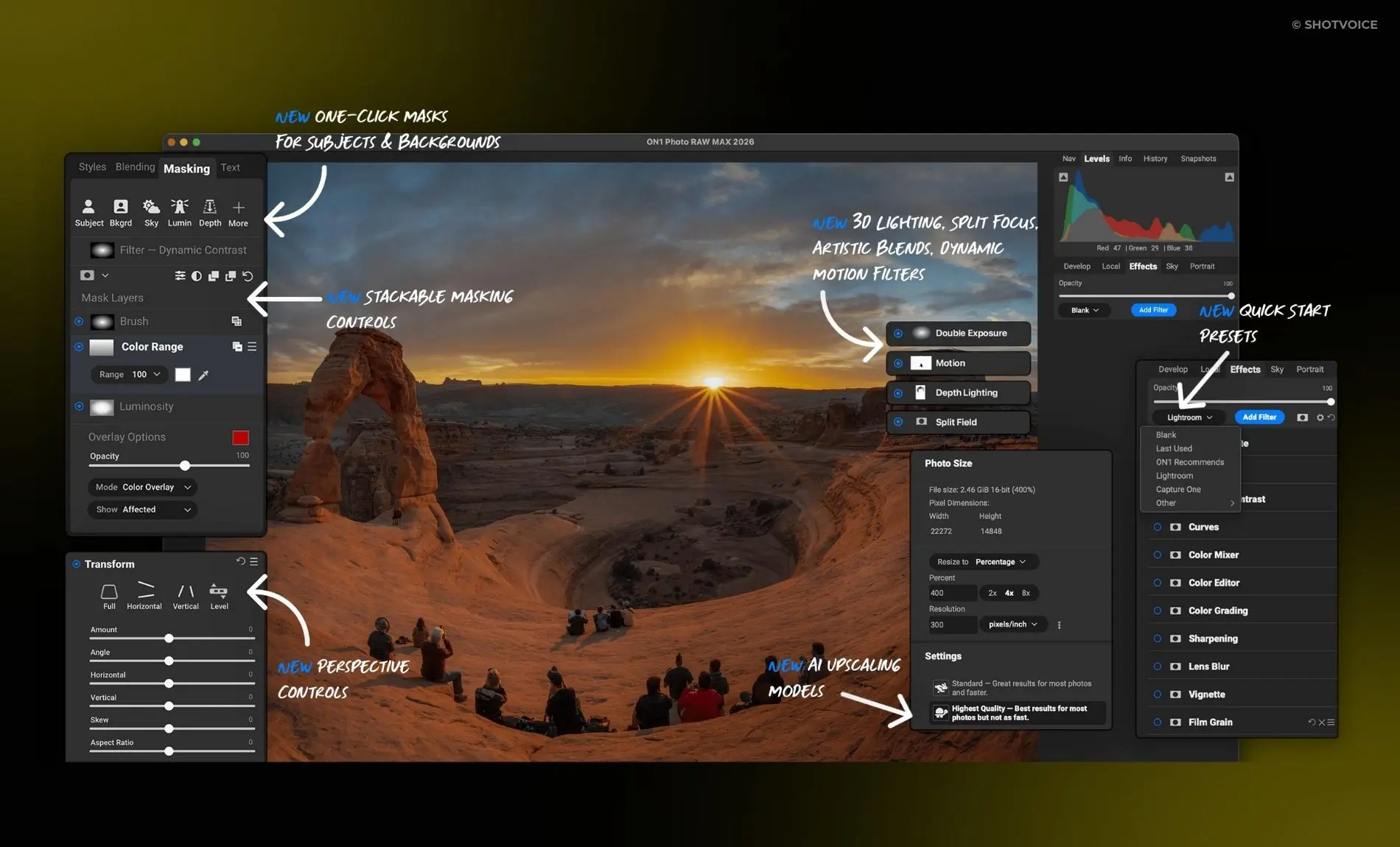
Essential AI Tools
- NoNoise AI: Integrated directly into the workflow, this tool removes digital noise while preserving details, eliminating the need for external plugins.
- Sky Swap AI: Sky replacement in one click. The software detects the sky, masks it, and replaces it, while adapting the foreground lighting for a realistic result.
- AI Quick Mask: Cutting out a complex subject (hair, tree branches) becomes child’s play. Roughly mark what you want to keep in green and what you want to remove in red; the AI does the rest.
- Super Select AI: Simply point to an object or area of the image, and the software automatically selects it for local retouching.
Intelligent Resizing
Recent updates include AI Face Recovery technology during upscaling. Ideal for printing a cropped or old photo in large format, the software recreates realistic details on faces.
Mobility and Accessibility
ON1 Photo RAW is not limited to the desktop computer. The mobile app (iOS and Android) extends the ecosystem to smartphones.
- Integrated Camera: To capture images in RAW with manual controls.
- Editing on the Go: Access essential tools (exposure, contrast, but also masking and filters) directly on your phone.
It is an ideal gateway for Instagram users who wish to move to a higher level of editing without the immediate complexity of pro software.
Organization and Search: The ON1 + Peakto Duo
While ON1’s browser system is convenient, it can show its limits in terms of speed on very large libraries or when your photos are scattered across multiple drives and services. Furthermore, its search function, while competent, remains conventional.
This is where Peakto (by Cyme) transforms the experience.
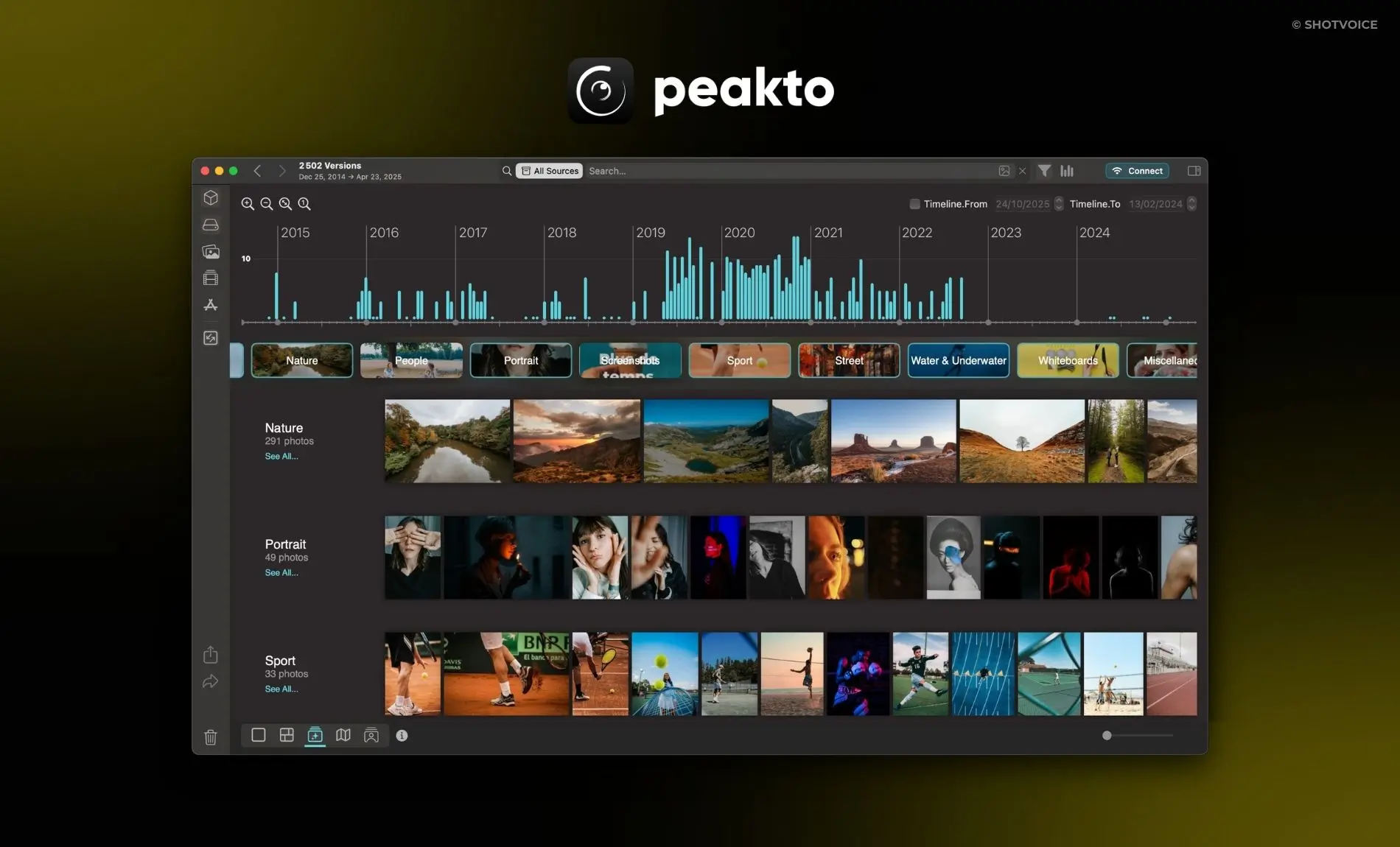
Why Pair Peakto with ON1?
Peakto acts as a meta-cataloger that exponentially increases ON1’s organizational capabilities:
- Conversational Search (AI): Instead of spending hours manually tagging your photos in ON1, use Peakto to find them using natural language. Type “Woman portrait red hat” and Peakto will find the image, even without any prior keywords.
- Universal Centralization: Peakto allows you to manage your ON1 catalogs at the same time as your Lightroom folders, Apple Photos libraries, or archives on external drives. Everything is visible in one place.
- Automation: Peakto automatically categorizes your images and creates smart albums, offering a layer of automatic sorting that ON1’s browser does not natively possess.
Upgrade Your Workflow with ON1 Photo RAW and Peakto
ON1 Photo RAW is undoubtedly the most credible alternative for those who want to break free from the Adobe subscription without sacrificing the power of layers or the quality of RAW development. It is a dense, complete software that requires a little time to adapt to but offers immense creative freedom. By associating it with Peakto for the intelligent management of your archives, you get a modern, fast, and totally unified workflow.