


Choosing the right photo editing software is one of the most important decisions for photographers, whether you’re a beginner learning the editing basics or a professional refining a high-volume, color-critical workflow.
Before comparing feature lists, one thing matters even more: having a clear, organized photo library. When images are scattered across folders, drives, or multiple apps, editing decisions often become reactive instead of intentional. Photo organizer like Peakto help photographers bring their images together first, so choosing editing software becomes a workflow decision—not a guess.
Quick Answer
There is no single “best” photo editing software for everyone.
Professionals choose tools based on how they work: RAW processing, color control, catalog management, advanced retouching, or speed. The seven software solutions below are widely used by professionals because each excels at a specific role in the photo editing workflow.
How to Choose the Right Photo Editing Software
Before comparing tools, it helps to understand how editing actually happens.
Most professional workflows start with technical checks—like reading the histogram in photography to validate exposure—then move through white balance editing, contrast editing, and finally saturation in photography before any retouching or compositing takes place.
With that in mind, ask yourself:
- Do you edit large batches or individual images?
- Do you need catalog management or only editing tools?
- Do you rely on advanced retouching and compositing?
- Do you prefer speed and automation or manual control?
The right software supports this logical order, rather than forcing you to work around it.

Top 7 Photo Editing Software — Comparison Table
| Software | Best features | Who it’s for | Typical price | Compatibility |
|---|---|---|---|---|
| Luminar Neo | AI tools (Sky AI, Structure AI, Portrait AI), fast creative edits | Beginners → creative pros | ~$119.99–$299 (perpetual or subscription) | Windows, macOS |
| Affinity Photo | Full pixel editing, layers, no subscription | Beginners → advanced users | ~$69.99 one-time | Windows, macOS, iPad |
| DxO PhotoLab | DeepPRIME AI denoising, optical corrections | Enthusiasts → pros | ~$119.99–$239.99 one-time | Windows, macOS |
| Capture One | High-end RAW, color control, tethering | Professionals | ~$299 one-time or ~$24–$26/mo | Windows, macOS |
| Adobe Lightroom | Catalog + editing, presets, batch editing | Beginners → professionals | ~$11.99/mo or ~$19.99/mo w/ Photoshop | Windows, macOS, iOS, Android |
| Adobe Photoshop | Advanced retouching, layers, compositing | Professionals | ~$19.99+/mo | Windows, macOS |
| Darktable | Non-destructive RAW editing, open source | Beginners → pros | Free | Windows, macOS, Linux |
What Are the Best Photo Editing Software?
1. Luminar Neo
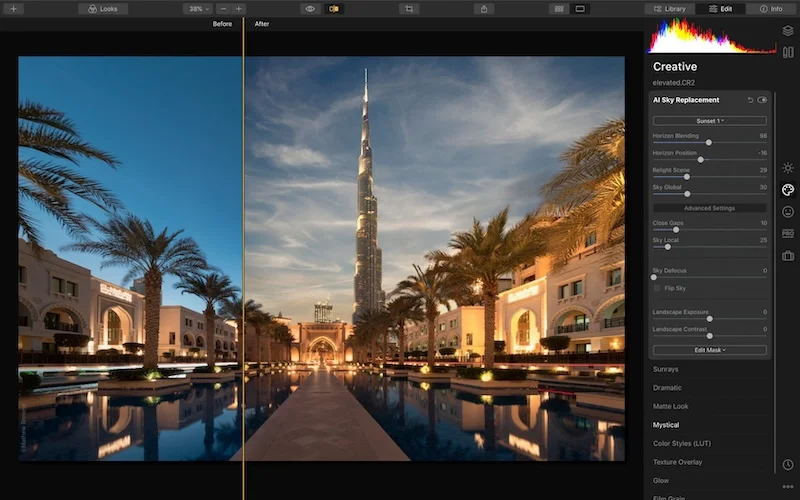
Luminar Neo is an AI-powered photo editor designed to simplify and accelerate editing.
It’s particularly useful when you want to move quickly past technical steps—after exposure and white balance editing are correct—and focus on creative interpretation.
Best for: photographers who value speed, creativity, and automation
Platforms: Windows, macOS
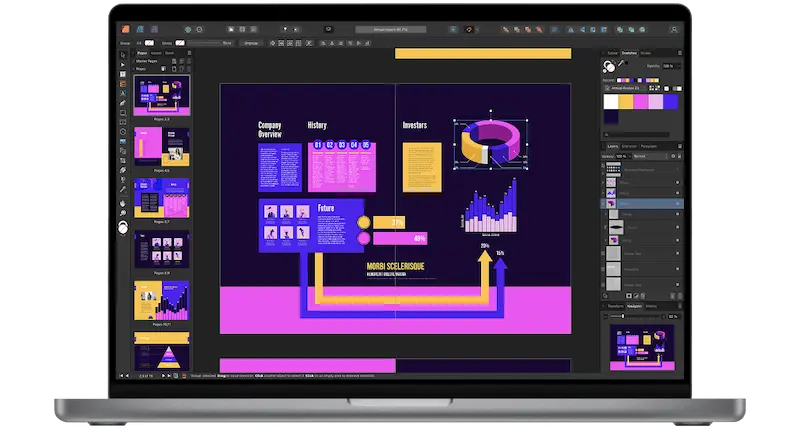
2. Affinity
Affinity Photo offers pixel-level control comparable to Photoshop, without a subscription.
It’s often used after global adjustments like contrast editing and saturation in photography, when images require detailed retouching, masking, or compositing.
Best for: photographers who want advanced control without recurring costs
Platforms: Windows, macOS, iPad
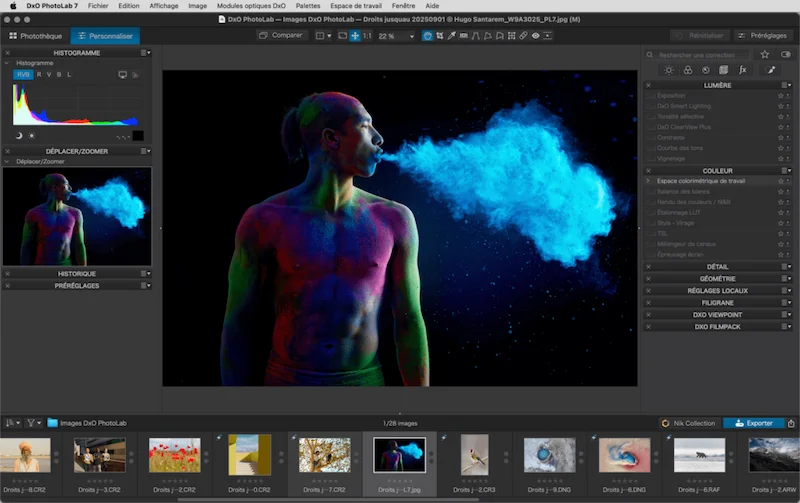
3. DxO PhotoLab
DxO PhotoLab is known for its technical image quality improvements.
It’s frequently used early in the workflow, right after checking exposure via the histogram, to clean up noise and apply optical corrections before creative edits begin.
Best for: photographers working in difficult lighting or high ISO
Platforms: Windows, macOS
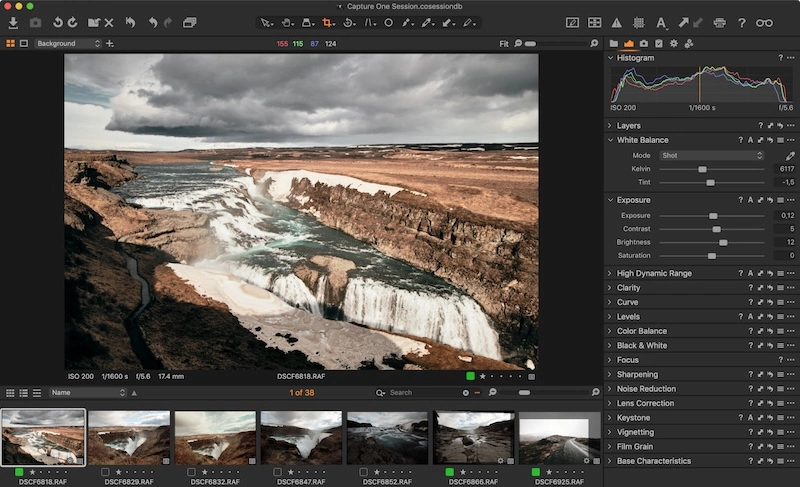
4. CaptureOne
Capture One is widely used by professionals who prioritize color accuracy.
Its tools align well with workflows where white balance editing and contrast editing are treated as precise, deliberate steps rather than quick fixes.
Best for: studio, fashion, and commercial photographers
Platforms: Windows, macOS
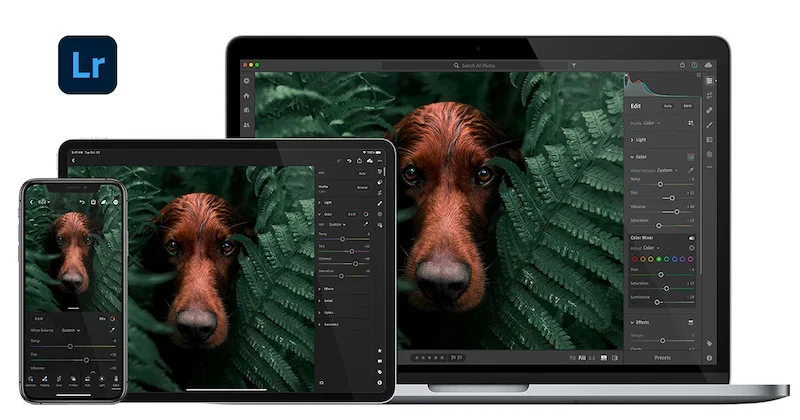
5. Adobe Lightroom
Adobe Lightroom combines photo organization and editing in a single environment.
It supports a complete workflow—from exposure correction and histogram checks to color balance, contrast, and saturation—making it popular for photographers managing large libraries.
Best for: photographers handling high volumes of images
Platforms: Windows, macOS, iOS, Android
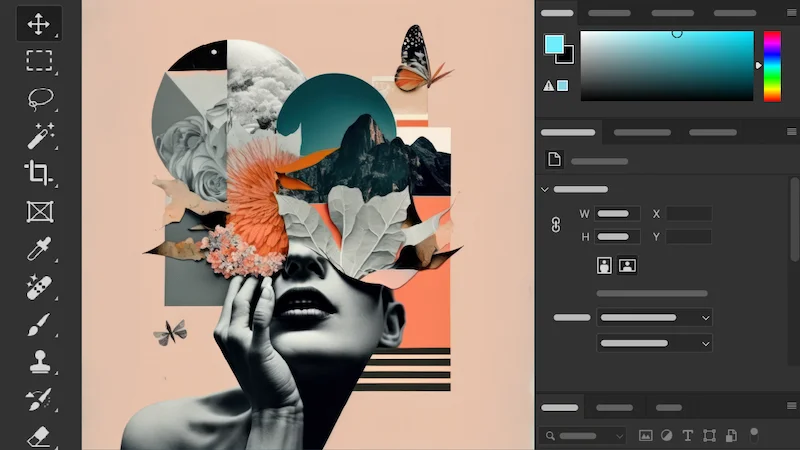
6. Adobe Photoshop
Adobe Photoshop remains essential when editing goes beyond global adjustments.
It typically comes into play after exposure, color balance, contrast, and saturation are finalized—when precise retouching, compositing, or graphic work is required.
Best for: high-end retouching and complex edits
Platforms: Windows, macOS
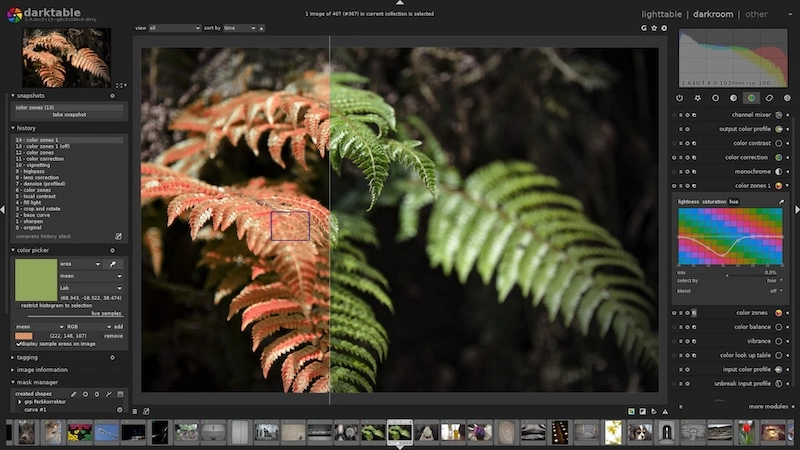
Darktable is a powerful open-source RAW editor built around a non-destructive workflow.
It allows photographers to practice the full editing sequence—exposure, histogram analysis, white balance, contrast, and saturation—without investing in paid software.
Best for: photographers seeking a free, professional-grade tool
Platforms: Windows, macOS, Linux
Software, Hardware, and Workflow
Even the best software can feel limiting on inadequate hardware. Smooth editing—especially when working with large RAW files—depends on having the best computer for photo editing you can reasonably afford, along with a calibrated display.
When tools and workflow align, editing becomes less about fighting software and more about refining judgment.
Software Serves the Workflow, Not the Reverse
Top photo editing software doesn’t make photos better by itself.
It makes good decisions easier to repeat.
Once you master the fundamentals—from reading the histogram to refining white balance, contrast, and saturation—software becomes a quiet partner rather than the center of attention. From there, exploring deeper pro tips for photo editing becomes a natural next step.
FAQ - Top Photo Editing Software
Do I need both Lightroom and Photoshop, or is one enough?
It depends on your goals. Lightroom is designed for the entire workflow—organizing, batch-editing RAW files, and color grading. Photoshop is a specialized tool for detailed retouching, removing complex objects, or combining multiple images (compositing). Most professionals use Lightroom for 90% of their work and only move to Photoshop for specific, high-precision tasks.
What is the best photo editing software without a subscription?
If you want to avoid monthly fees, Affinity Photo and Luminar Neo are the top professional-grade choices offering a one-time purchase (perpetual license). For a completely free, professional-level option, Darktable is the best open-source RAW editor, though it has a steeper learning curve than paid alternatives.
Which software is best for high-volume batch editing?
Adobe Lightroom and Capture One are the industry leaders for batch editing. They allow you to “sync” edits from one photo to hundreds of others instantly. Capture One is often preferred by studio and fashion photographers for its superior “tethered shooting” capabilities, while Lightroom is favored by wedding and travel photographers for its seamless mobile and cloud integration.